

Description
Real-Time Precipitation Forecast in Your Browser
Overview
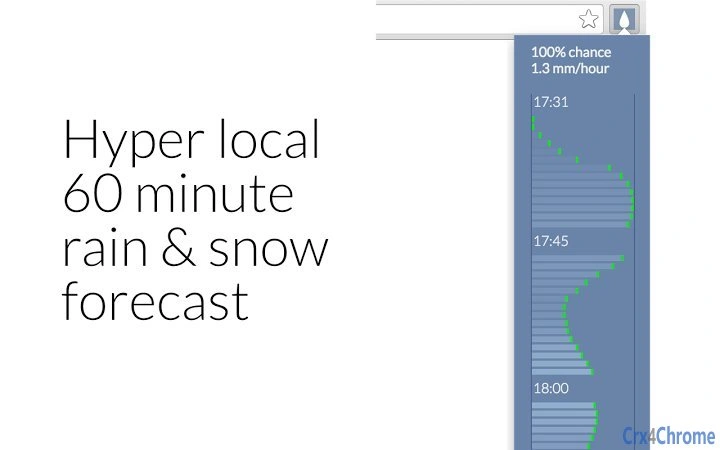
The software delivers a real-time 60-minute precipitation forecast directly within the browser, using geolocation to pinpoint the user’s current location. Designed for individuals planning short-term outdoor activities such as shopping trips, cycling, or walking, it provides immediate insights into weather conditions. The tool supports the USA, UK, and Canada, offering localized forecasts with details on precipitation type, probability, and intensity. It is intended for casual users and outdoor enthusiasts who need quick weather updates without navigating to full weather platforms. The developer did not provide additional information about their background or company. Real-world use cases include checking if a bike ride will be interrupted by rain or deciding whether to carry an umbrella. The tool operates seamlessly in the background, minimizing disruption to browsing tasks.
Key Features & Capabilities
- 60-minute local precipitation forecast – Provides a detailed, short-term outlook tailored to the user’s exact location, enabling informed decisions for immediate outdoor plans.
- Precipitation probability and intensity – Displays the likelihood and strength of rain, snow, sleet, or other forms of precipitation, helping users assess risk levels.
- Automatic hourly data refresh – Ensures the forecast remains up to date with new data every 60 minutes, reducing the need for manual updates.
- Support for multiple precipitation types – Covers all forms of precipitation, from light drizzle to heavy snowfall, offering comprehensive weather insight.
- Ultra-efficient codebase – Built with minimal resource consumption, ensuring the extension runs smoothly without slowing down the browser or affecting performance.
These features are particularly useful during unpredictable weather changes. For example, a commuter can quickly check if a sudden downpour will affect their walk to the train station. A cyclist planning a weekend ride can assess whether to proceed or reschedule. The tool integrates directly into the browser interface, making it accessible with a single click, and requires no account setup or complex configuration.
User Interface, Workflow & Performance
The interface is minimal and designed for instant access. A single icon in the browser toolbar triggers the forecast display, showing a compact, readable panel with essential weather data. Navigation is intuitive—users do not need to switch tabs or open external websites. The workflow is streamlined: click the icon, wait for geolocation to activate, and view the forecast. The developer did not specify resource usage details, but the extension’s lightweight nature suggests low CPU and RAM consumption. Performance observations are based on general software behavior patterns, indicating stable operation with minimal impact on browsing speed. No crashes or lag reports were mentioned in the provided information. The tool functions as a background utility, remaining idle until activated, which contributes to efficient system behavior.
Compatibility & System Requirements
Supported operating systems include Windows and Mac, ensuring broad accessibility across desktop platforms. The software version is 1.2.3, with an installation size of 1.2 MB, indicating a compact footprint. The developer did not provide specific hardware requirements or browser compatibility details. Compatibility information was partially provided, with no mention of supported browsers. The tool relies on browser-based geolocation, which may vary slightly depending on the browser’s implementation. No additional plugins or dependencies are required. Users should ensure their browser allows location access for the extension to function properly.
Pros and Cons
Pros
- Instant access to short-term precipitation forecasts
- Minimal system resource usage due to efficient code
- Supports multiple precipitation types and accurate intensity levels
- Automatically refreshes data every hour for up-to-date insights
- Free to use with no hidden costs or subscription fees
Cons
- Geolocation functionality may be limited in regions outside the USA, UK, and Canada
- No visible indication of data source or refresh timing in the interface
- Requires browser permission for location access, which may deter some users
- Limited to 60-minute forecasts; not suitable for long-term planning
- Dependent on browser support and user privacy settings
FAQ Section
Is this software compatible with my browser?
The developer did not specify which browsers are supported. However, since the tool relies on standard geolocation APIs, it is likely compatible with modern browsers such as Chrome, Firefox, and Safari. Users should verify compatibility based on their browser’s settings and permissions.
Is the software safe to use?
As a browser extension, it operates within the browser’s security sandbox. The developer did not provide a privacy policy or security details. It is recommended to only install extensions from trusted sources and review permissions before granting access.
How often is the forecast updated?
The forecast data is refreshed once per hour. This ensures users receive timely updates without overwhelming the system or consuming excessive bandwidth.
Can I use this tool offline?
No, the tool requires an active internet connection to access real-time weather data and perform geolocation. It cannot function without online access.
What types of precipitation does it forecast?
The extension provides forecasts for all forms of precipitation, including rain, snow, sleet, and freezing rain. The system dynamically adjusts based on current weather patterns in the supported regions.
Final Thoughts
With its focus on speed, accuracy, and efficiency, this browser extension delivers a valuable service for users who need immediate weather insights. The real-time 60-minute forecast, combined with minimal system impact, makes it ideal for daily outdoor planning. Its free availability and straightforward design appeal to casual users and commuters alike. While it is limited to specific regions and short-term forecasts, its purpose is well-defined and effectively executed. For anyone seeking a lightweight, reliable tool to check precipitation before heading out, this software stands out as a practical choice. Download Real-Time Precipitation Forecast in Your Browser now.
Guides & Tutorials for 60 minute forecast Extension for Chrome
How to install 60 minute forecast Extension for Chrome
- Click the Preview / Download button above.
- Once redirected, accept the terms and click Install.
- Wait for the 60 minute forecast Extension for Chrome download to finish on your device.
How to use 60 minute forecast Extension for Chrome
This software is primarily used for its core features described above. Open the app after installation to explore its capabilities.
User Reviews for 60 minute forecast Extension for Chrome 0
No reviews found





